Fort Myers, FL · Leak Detection Guide

How Can Fort Myers Homeowners Use the WaterSmart Portal to Detect Unusual Water Usage?

Your water meter already knows when something is wrong. If a toilet flapper sticks open at 2 a.m., if a slab leak is dripping under your concrete floor, or if an irrigation valve fails while you are away for the summer, the meter records every gallon — hour by hour. The WaterSmart portal is simply the window into that data, and for Fort Myers homeowners it is the cheapest leak detector you will ever own: it is free, it is already connected to your smart meter, and it can catch a leak weeks before your bill — or your ceiling — tells you about it. Here is how to set it up, read it, and act on what it shows.

Published November 16, 2026 · Water Leak Repair Fort Myers FL

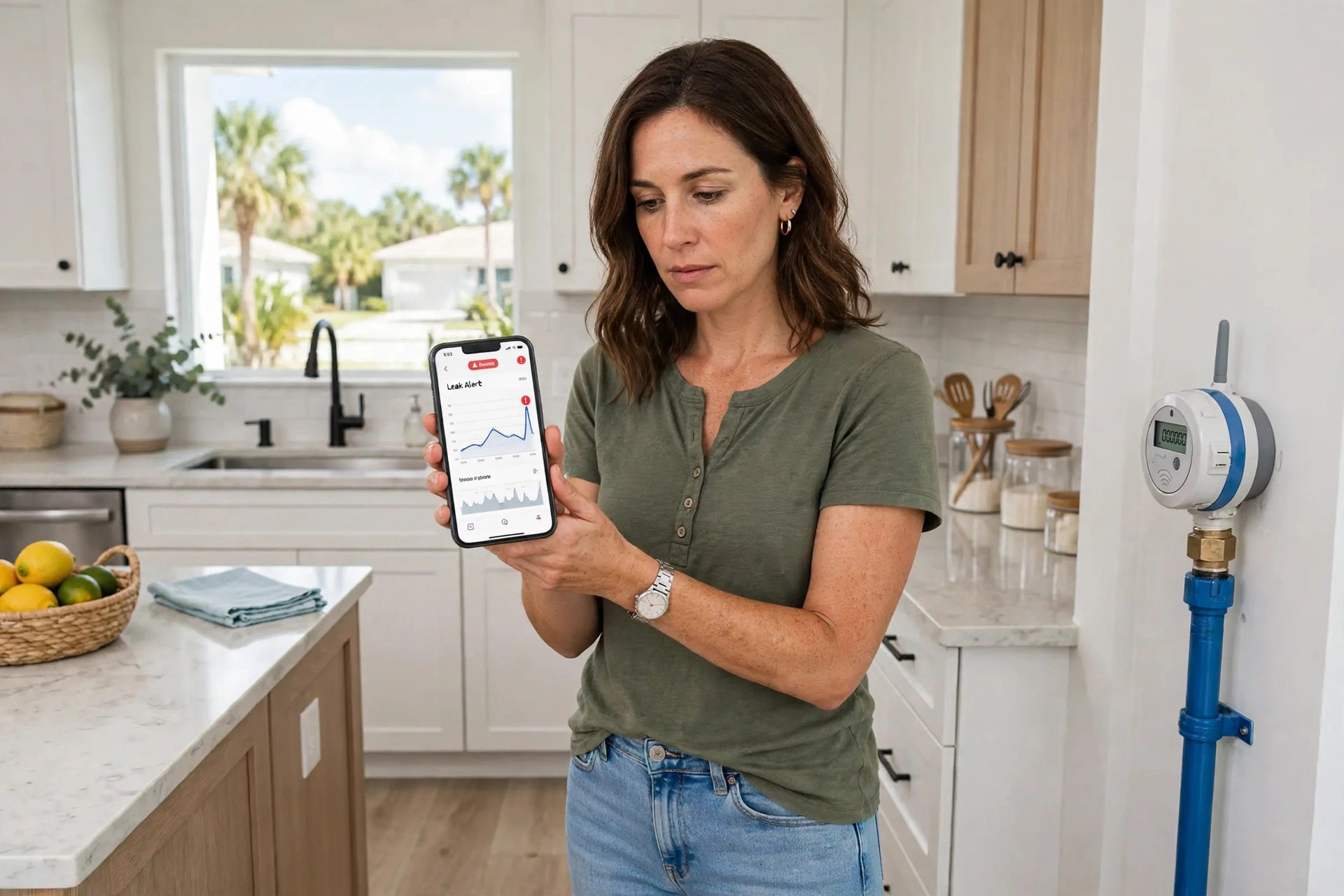
Fort Myers homeowner checking a WaterSmart water usage graph with a leak alert on a smartphone in a bright kitchen
DIRECT ANSWER

How Can Fort Myers Homeowners Use the WaterSmart Portal to Detect Unusual Water Usage?

Fort Myers homeowners use the WaterSmart portal to detect unusual water usage by signing up with their water account number and ZIP code, then checking the hourly usage graph for water flowing when nobody is using any, and turning on leak alerts and custom high-usage alerts. The portal flags continuous use — water running nonstop for hours — and shows possible leak activity in orange. If you see usage at 3 a.m., a steady overnight flow, or a sudden jump with no change in your routine, shut off all fixtures and check your water meter: if it is still moving, water is escaping somewhere, and a leak detection visit can find the source before the damage spreads.

What It Shows

What the WaterSmart Portal Actually Tells You

WaterSmart is the online customer portal many water utilities pair with a smart meter (also called an AMI meter). Lee County Utilities has been rolling out these smart meters across the Fort Myers area, and the portal turns the meter's hourly readings into charts and alerts you can check from your phone. Here is what to look for:

What you see in the portalWhat it usually meansWhat to do
A flat line of water use overnight, every hourContinuous flow — something is running while the house sleepsRun the checks below; if the meter still moves with everything off, call for leak detection
Possible leak activity highlighted in orangeThe system spotted a pattern that looks like a leakOpen the alert, check the start time, and walk the usual suspects
A sudden jump in daily use with no change in routineA new leak, a running toilet, or a stuck irrigation valveCompare the hourly graph to the day before to find when it started
Usage climbing steadily over several weeksA slow leak getting worse, often underground or under the slabDo not wait for the bill — check the meter and get it located
A spike on one day only, then back to normalOften a one-off: guests, filling a pool, a long irrigation cycleNote it and watch the next few days before worrying
Zero use for days while you are awayNormal for a vacant home — and exactly the baseline you wantSet a low-use alert so any flow while you are away triggers a warning

The key idea is simple: the portal does not tell you which fixture is leaking. It tells you when water is flowing, and that timing is usually enough to narrow the search to a handful of suspects.

Sign Up

Signing Up Takes About Five Minutes

You need two things: your water account number and the ZIP code on the account. Both are printed on your water bill.

  1. Find your portal link. Your utility's website or your water bill points to the WaterSmart sign-up page — for most Fort Myers homes that is the City of Fort Myers Utilities or Lee County Utilities portal. Use the link on your bill rather than searching, so you land on the right utility's portal.
  2. Create your account. Enter your account number and ZIP code, set a password, and add an email address and a mobile number. The alerts are only useful if they can reach you, so add both.
  3. Confirm your email and phone. You will get a confirmation message for each. Until you confirm, alerts may not go out.
  4. Check that your meter is reporting. Open the usage view and confirm you can see recent days of data. If the graph is blank or stops days ago, your meter may not have been switched to the smart system yet, or the account may need linking — call your utility's customer service line and ask.
  5. Turn on notifications right away. Do this before you forget: leak alerts and high-usage alerts are the whole point, and they are off by default in some portals.
Pro tip

If you own a second home or a rental in Fort Myers, add that account to the same portal login if your utility allows it. One dashboard for both properties means one place to check before a trip — and one alert if either home starts using water it should not.

Read the Graph

How to Read Your Hourly Usage Graph

The hourly graph is the most powerful screen in the portal, and it takes about a minute to learn. Open the "Track" view and look at a normal day first, so you know what normal looks like for your home:

  • Morning peak: a bump between 6 and 9 a.m. — showers, toilets, the dishwasher. Normal.
  • Daytime near zero: if everyone is out, usage should drop close to zero between 9 a.m. and 4 p.m. A steady trickle all afternoon is not normal.
  • Evening bump: cooking, laundry, showers again. Normal.
  • Overnight near zero: between about 11 p.m. and 5 a.m., a healthy home uses almost nothing. This is the line that matters most.

Now look for the patterns that mean trouble. A flat, unbroken line of even a few gallons per hour running through the night is the classic signature of a leak — a running toilet, a dripping supply line, or water escaping under the slab. A sudden step up that stays high for days is a new leak that started on a specific date, and the graph will show you the exact day and hour it began. A sawtooth pattern that repeats every night can be an irrigation zone running on a timer you forgot about, or a valve that no longer shuts fully.

Compare today with the same day last week, not with a neighbor's home. Every household's baseline is different — a family of five uses far more than a retired couple — so your own history is the only fair comparison. The portal usually lets you overlay days or view a week at a glance; use that view once a week until reading it becomes a habit.

Set Alerts

Setting Leak Alerts and High-Usage Alerts That Actually Help

Alerts turn the portal from something you check into something that checks on you. Set these three:

1. The leak / continuous-use alert. This fires when water runs nonstop for a long stretch — commonly at least 3 gallons per hour, every hour, for 24 hours, or a heavy flow of 75 gallons or more per hour over 8 hours. Leave this one on with email and text delivery. It is the alert that catches the slab leak you cannot see and the toilet that runs while you are on vacation.

2. A custom high-usage alert. In the Settings tab, set a daily threshold a little above your normal high day — for example, 25 to 50 percent above your typical daily use. You will get a warning the day usage crosses it, instead of discovering it on a bill three weeks later. If you get false alarms during pool fills or when guests visit, nudge the threshold up rather than turning the alert off.

3. A predicted high-bill alert, if your portal offers it. Some WaterSmart portals warn you when your cumulative use for the billing period is tracking toward an unusually high bill. It is the earliest possible warning, and it costs nothing to switch on.

While you are in Settings, check the notification preferences themselves: email, text, or voice. Text is best for leak alerts, because a leak does not wait for you to check email. And if your household has more than one adult, add a second contact — if you are traveling, someone local should get the alert too.

Investigate

What to Do When the Portal Flags Unusual Water Usage

An alert is a starting point, not a diagnosis. Work through this list in order — most alerts are solved in the first three steps:

1. Check the timing on the graph. When did the unusual use start, and does it stop at any point? A leak that started Tuesday at 3 p.m. and never stopped is different from a spike that only happens at 5 a.m., which may be irrigation.

2. Check the toilets. A running toilet is the most common cause of continuous use, and it can waste hundreds of gallons a day. Lift the tank lid: if water is running into the overflow tube, or the flapper is not sealing, you have found it. Put a few drops of food coloring in the tank and wait 15 minutes without flushing — color in the bowl means the flapper leaks.

3. Check irrigation and outdoor taps. Walk the yard. Look for a zone that is wet when it should not be, a sprinkler head that never stops, or a hose left on. In Fort Myers, irrigation is the most common false alarm — and the most common real outdoor leak.

4. Check the water heater, washing machine, and dishwasher. Look for puddles, dampness, or a musty smell around each appliance, and check the shutoff valves for drips.

5. Run the meter test. Turn off every tap and appliance in the house, then look at your water meter. If the dial — or the small leak indicator on a smart meter — is still moving, water is escaping somewhere in your pressurized plumbing. That is the moment to stop guessing.

6. Call for hidden water leak detection if the meter is still moving. A detection visit uses acoustic listening and pressure testing to find the break — under a slab, behind a wall, or in the yard — without tearing your home apart to look. If the usage pattern points underground, underground water leak detection is the right call; if the graph shows a sudden heavy flow, treat it as urgent and call for emergency water leak repair.

Warning

If the portal shows a large, sudden flow — hundreds of gallons in an hour — and you cannot find an obvious cause, shut off your main water valve first and ask questions second. A burst pipe or a failed supply line can flood a home in hours, and the valve is your fastest way to stop it. A main water line leak repair is far cheaper than a flooded living room.

False Alarms

When an Alert Is Not a Leak

Not every alert means a plumber. Before you worry, rule out the usual innocent causes:

  • Guests or a house sitter. Extra showers and laundry show up as a jump in daily use, and overnight use appears if someone is up late. Check the dates against who was home.
  • Filling a pool or hot tub. A single-day spike that returns to normal the next day is usually a fill, not a leak.
  • A changed irrigation schedule. A new timer setting, a seasonal adjustment, or a landscaper testing zones can all look like a leak on the graph. Match the spike's time of day to your irrigation schedule.
  • A running appliance cycle. A washing machine or dishwasher left running overnight creates a block of use, not a continuous flat line — and it ends.
  • A toilet flapper that reseated itself. Sometimes continuous use stops on its own. If the graph goes back to normal and stays normal for several days, keep watching but do not panic.

The rule of thumb: a pattern that repeats every day is a problem; a pattern that appears once and vanishes is usually an event. When in doubt, watch for three days. If the unusual use is still there on day three, it is not an event.

Fort Myers

Why the WaterSmart Portal Matters More in Fort Myers

Fort Myers gives the portal extra work to do. First, thousands of homes here sit empty for months — snowbirds who leave in spring and return in fall. For a seasonal home, the portal is the only set of eyes on the property, and a low-use alert is the difference between a leak caught in May and a leak discovered in November with months of damage behind it. Set your thresholds before you leave, and make sure alerts go to a phone you actually carry.

Second, irrigation is a way of life here, and it makes the graph harder to read. Lawns, palms, and tropical plantings drink heavily, and a stuck irrigation valve can waste thousands of gallons before anyone notices — because the water goes into the ground, where it belongs, just far too much of it. The hourly graph separates irrigation from a leak: irrigation runs in blocks at set times, a leak runs all the time.

Third, much of Fort Myers is built slab-on-grade, which means a supply line leak under the house has nowhere visible to go. There is no basement to flood and no crawl space to drip into — the first sign is often the bill, or a warm spot on the floor. The smart meter catches that kind of leak far earlier than any visual check can, because it sees the water, not the damage.

Whether you live in Downtown Fort Myers, San Carlos Park, Iona, or South Fort Myers, the habit is the same: sign up once, turn the alerts on, glance at the graph once a week, and act on a continuous-use alert the same day. A water leak detection visit costs far less than the water — and the damage — a silent leak leaves behind.

FAQ

WaterSmart Portal and Unusual Water Usage: Fort Myers Homeowners Ask

Use the link on your water bill or your utility's website — for most Fort Myers homes that is the City of Fort Myers Utilities or Lee County Utilities portal. You will need your water account number and the ZIP code on the account. Sign-up takes about five minutes, the portal is free, and you should add both an email address and a mobile number so leak alerts can reach you.

Water flowing when nobody is using any — especially a flat line of use overnight — a sudden jump in daily use with no change in routine, or usage climbing steadily over weeks. The portal flags possible leak activity in orange and can send a continuous-use alert when water runs nonstop for many hours. Compare against your own home's history, not a neighbor's.

No. It shows when water is flowing and how much, which usually narrows the search to a few suspects — a running toilet, an irrigation valve, or a hidden line. Finding the exact break is a job for leak detection equipment: acoustic listening, pressure testing, and meter checks that pinpoint the source without opening walls or floors.

They are a strong signal, not a certainty. A continuous-use alert means the meter genuinely recorded nonstop flow, which is rarely innocent — but guests, a pool fill, or a changed irrigation schedule can trigger one. Check the toilets, the irrigation, and the meter itself first. If the meter still moves with everything off, the alert was right.

Yes — that is one of its best uses. Set a low daily-usage threshold and turn on leak alerts with text delivery to a phone you carry. Any flow while the house is empty should trigger a warning within a day, and you can ask someone local to check the house or shut off the main valve. Make sure a second contact in Fort Myers also gets the alerts.

Check the toilets, then the irrigation and outdoor taps, then run the meter test with every fixture off. If the meter is still moving, call a leak detection professional the same day — a continuous flow means water is escaping somewhere, and every day it runs adds to the bill and to the damage.

Portal Shows a Possible Leak? Get the Source Found Fast

Our 24/7 dispatch connects Fort Myers homeowners with local leak detection pros who find the leak before anyone cuts, digs, or demolishes — day or night, anywhere in Lee County.